
Generate metadata
at production speed
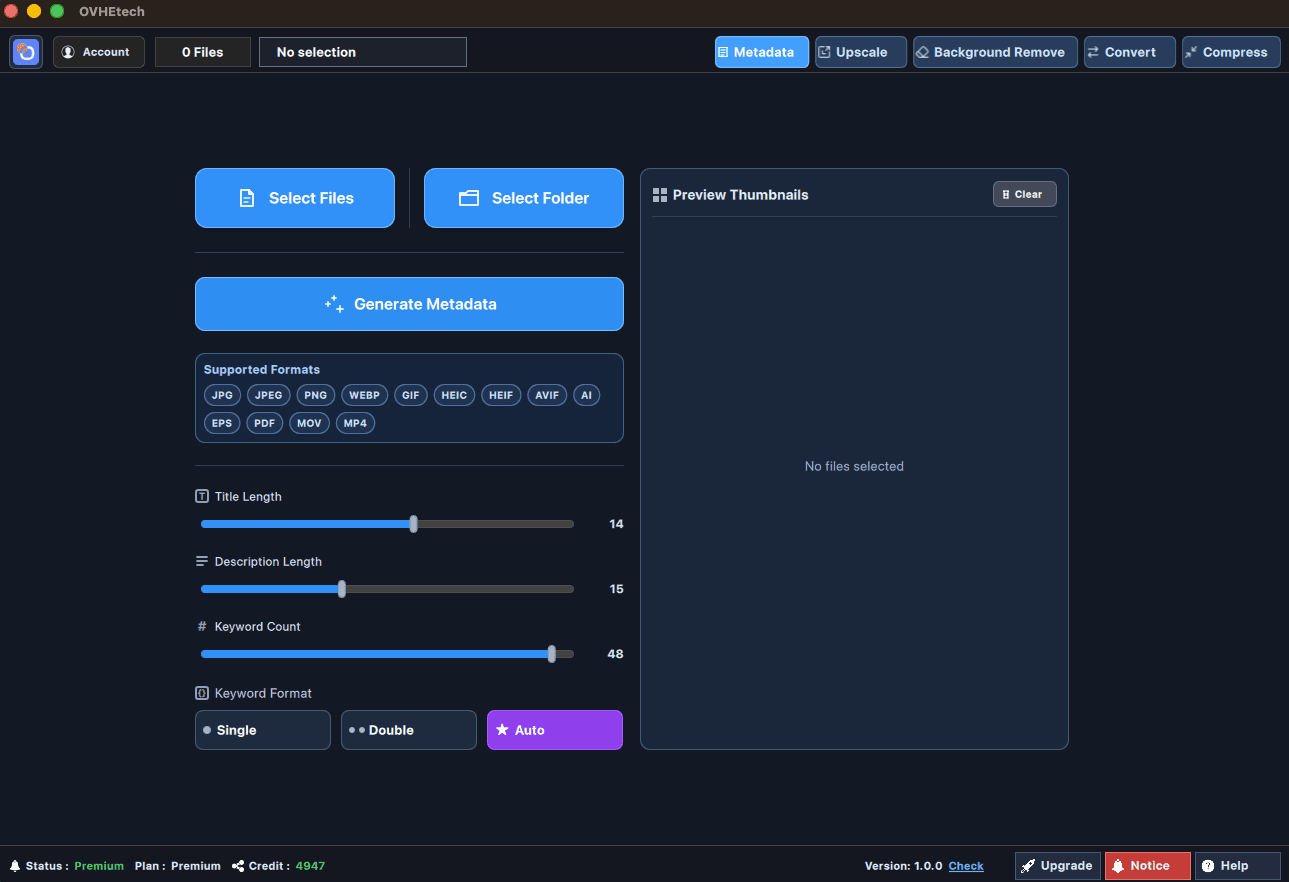
OVHE Tech is a Windows desktop tool that automates metadata generation for stock photos & videos. Built-in AI generation — no API key required. Batch titles, keywords, platform CSV exports, and full queue control.
- Built-in AI Generation (No API Key Required)
- Batch process entire folders instantly
- Export to 9+ stock platforms
- Pause, resume, and manage queues natively
Review, regenerate & export in one view
After batch processing, inspect every card, regenerate individual files, and export your platform CSV without ever leaving the app.
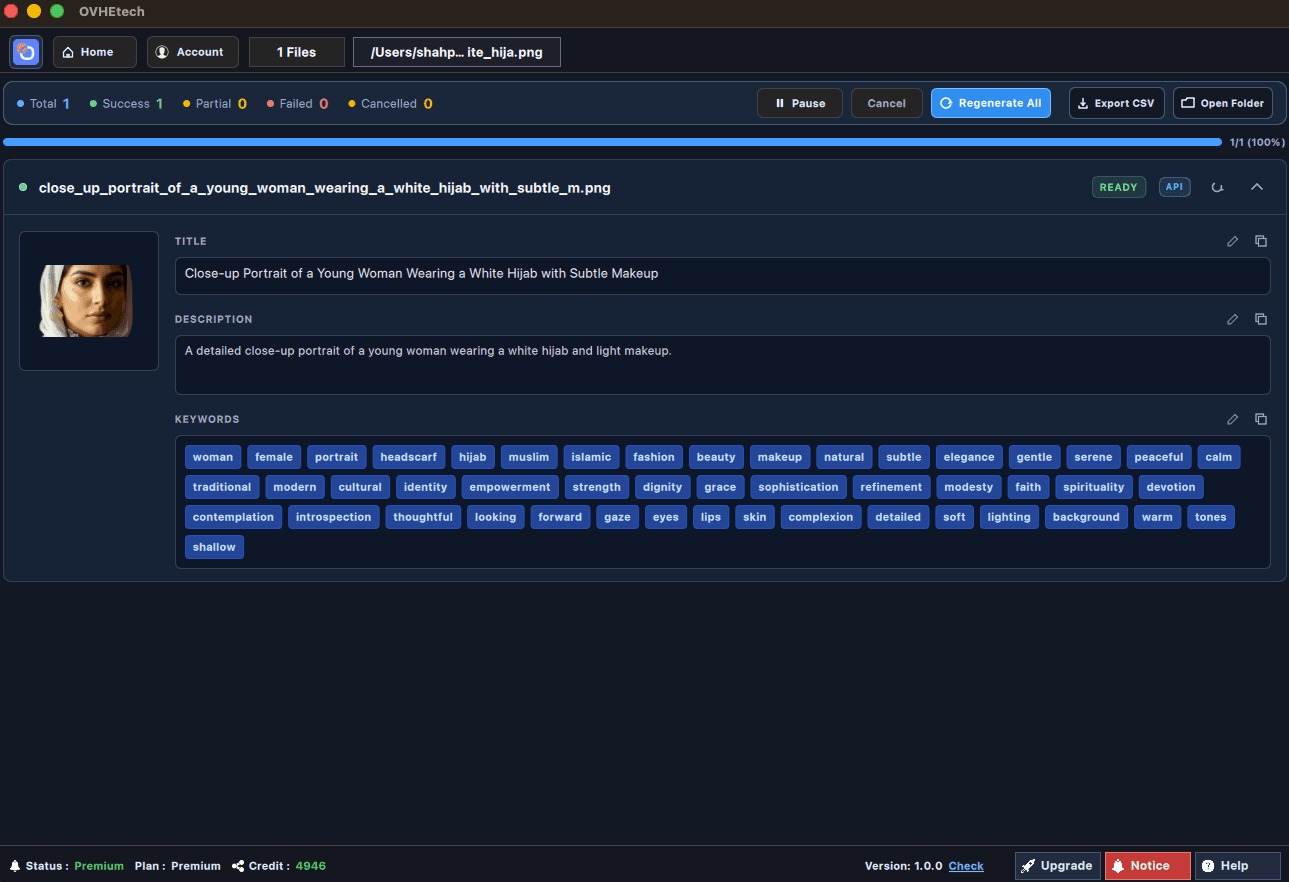
Regenerate Any File
Click Regenerate on any result card to re-run metadata for that file without touching the rest.
Live Status Counters
Total, Success, Failed, and Cancelled counts update live as each file completes.
Platform CSV in 1 Click
Select a platform from the dropdown and export the exact CSV format it expects.
Everything in one desktop tool
Designed for stock contributors who need fast, repeatable, professional metadata workflows.
Batch Metadata Generation
Generate title, description, and keywords for hundreds of files in one run with live progress counters.
Live Queue Telemetry
Watch Total, Success, Failed, and Cancelled counts update in real time as your batch runs.
Platform-Ready CSV Export
Export metadata formatted for Adobe Stock, Shutterstock, Freepik and 6+ other stock platforms.
Full Queue Control
Pause, resume, cancel, or retry the queue — full control over every long-running job.
14 File Format Support
JPG, PNG, WEBP, GIF, AI, EPS, PDF, MOV, MP4, HEIC, TIFF and more — no format left behind.
Auto Rename by Title
Automatically rename output files using the AI-generated title after metadata injection.
From files to export in 4 steps
Select Files or Folder
Load individual files or an entire folder into the batch queue.
Generate Metadata
AI generates title, description & keywords for every file in real time.
Control the Queue
Pause, Resume, or Cancel at any point while the process runs.
Review & Export CSV
Export platform-formatted CSV or rename files by generated title.
Works with your files & platforms
OVHE Tech supports the widest range of stock-ready formats and exports directly to platform-specific CSV — no manual reformatting needed.
Stock Platform Profiles
Supported File Formats
Stable batch execution, real-time state monitoring, and clean platform export — all without leaving the desktop flow.
- Live batch status updates during processing
- Platform-specific CSV export from results panel
- Tool switch lock while active processing runs
- Status / Plan / Credit footer telemetry
Get more out of OVHE Tech
Start with 20 free credits/day or unlock up to 3,000 credits with one-time packages.
Running in 3 minutes
- 1
Download and install the Windows desktop application.
- 2
Sign in and open the Metadata workspace from the desktop app.
- 3
Load files or a folder, run processing, and export your CSV.
Ready to run OVHE Tech?
Install the desktop app and start automating your metadata workflow on Windows today.